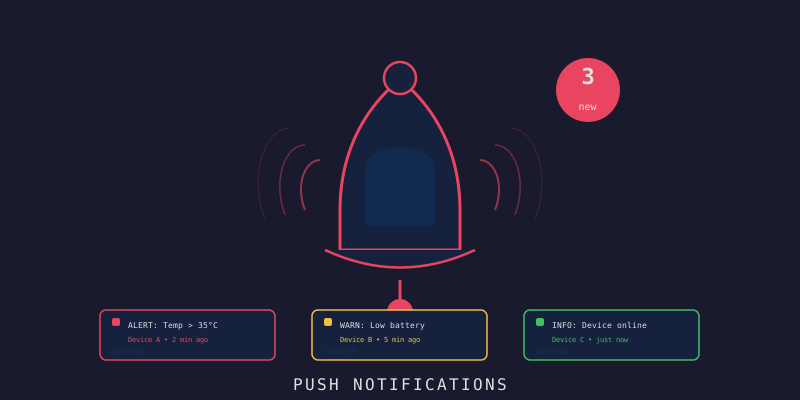
LynxJS Alerts: หน้า Alert Rules บนมือถือ
LynxJS Alerts: หน้า Alert Rules บนมือถือ
Branch:
step-14-mobile-alertsPhase: Mobile (5/5) — Alerts Repo: kangana1024/showkhun-workshop
มาถึงบทสุดท้ายของ phase mobile แล้วครับ! เราจะทำหน้า Alerts ให้ user เห็นว่าระบบกำลัง “เฝ้า” อะไรอยู่บ้าง — temperature เกินกี่องศาถึงเตือน, device เงียบนานแค่ไหนถึงผิดปกติ แต่บทนี้พี่อยากเล่า อย่างตรงไปตรงมา เรื่องนึง: เราจะสร้าง UI บน “สิ่งที่ backend มีจริง” ไม่ใช่บนสิ่งที่เราอยากให้มี (◡‿◡)
ข้อเท็จจริงสำคัญที่ต้องพูดก่อน: backend ของเรา (จาก workshop alerting engine) expose แค่ alert RULES — คือ “กฎการเฝ้า” — แต่ ไม่มี endpoint ประวัติ alert ที่ trigger ไปแล้ว และ ไม่ broadcast alert ผ่าน WebSocket (การส่ง alert จริงไปทาง operator-configured webhook ของ engine) ดังนั้นหน้า Alerts นี้คือ “รายการกฎ” ไม่ใช่ “feed การแจ้งเตือนแบบ realtime” ส่วน read/unread กับ notification preferences เป็น affordance ฝั่ง client ล้วนๆ README ในโปรเจกต์ก็บันทึกข้อนี้ไว้ตรงๆ บทความนี้อ้างอิงโค้ดจริงใน branch
step-14-mobile-alerts
ก่อนเริ่ม: น้องๆ จะได้อะไรจากบทนี้?
- เข้าใจความต่างระหว่าง alert RULES (มีจริงใน backend) กับ triggered-alert history (ไม่มี endpoint)
- โหลด rule ผ่าน
GET /api/v1/alert-rulesแล้วกรอง severity แบบ client-side - แปลง
AlertCondition(3 type: threshold/offline/anomaly) เป็นข้อความที่คนอ่านง่าย - ทำ read/unread แบบ in-memory — และรู้ว่าทำไมมันถึงเป็น client-side
- ทำ notification preferences ในแอป (ผ่าน context) — และรู้ว่าทำไมมันคุม “พฤติกรรมในแอป” เท่านั้น
- ปิดท้าย: สร้าง UI ที่ “ซื่อสัตย์กับ backend contract”
ทำไมต้องซื่อสัตย์กับ Contract? (WHY ก่อน HOW)
ถ้าเราทำหน้า “Alert History” ปลอมๆ ที่ดูเหมือนมี feed แจ้งเตือน แต่จริงๆ backend ไม่มีข้อมูลส่งมา — user จะหลงคิดว่าระบบทำงาน ทั้งที่มันไม่มีอะไรอยู่หลังบ้าน นั่นอันตรายกว่าการบอกความจริงเยอะ
อุปมา: เหมือนติดมาตรวัดน้ำมันปลอมในรถ เข็มชี้เต็มถังตลอด ดูสบายใจดี… จนรถดับกลางทาง เราเลือกที่จะแสดง “สิ่งที่วัดได้จริง” แทน
มาดูภาพรวมว่าอะไรอยู่ตรงไหน:
graph TD
    A[📱 AlertsScreen] -->|GET /alert-rules| B[Alert RULES มีจริง]
    A -.->|ไม่มี endpoint| C[Triggered history ✗]
    A -.->|ไม่ broadcast| D[Realtime alert feed ✗]
    E[🔔 การส่ง alert จริง] -->|engine ยิงเอง| F[operator webhook เช่น Slack]
    A -->|client-side| G[read/unread + notification prefs]
Step 1: useAlertRules — โหลดกฎจาก Backend
hook useAlertRules (screens/useAlertRules.ts) โหลด rule ทั้งหมด comment ในโค้ดจริงเขียนเหตุผลไว้ชัดเจนว่าทำไม severity filter ถึงทำฝั่ง client:
/**
 * useAlertRules โหลด alert rule ที่ตั้งไว้ backend expose alert rules
 * (config การ monitor) แต่ไม่มี endpoint ประวัติ alert ที่ trigger แล้ว
 * นี่จึงเป็น source of truth ของหน้า alerts ส่วน severity filter ทำฝั่ง client
 * เพราะ list endpoint กรองด้วย type/enabled/device ได้ แต่ไม่กรอง severity
 */
export function useAlertRules(): AlertRulesState {
  const [allRules, setAllRules] = useState<AlertRule[]>([])
  const [loading, setLoading] = useState(true)
  const [refreshing, setRefreshing] = useState(false)
  const [error, setError] = useState<string | null>(null)
  const [severity, setSeverity] = useState<SeverityFilter>('all')

  const abortRef = useRef<AbortController | null>(null)

  const load = useCallback(async (isRefresh: boolean) => {
    abortRef.current?.abort()
    const controller = new AbortController()
    abortRef.current = controller
    if (isRefresh) setRefreshing(true)
    else setLoading(true)
    setError(null)
    try {
      const { rules } = await api.listAlertRules({ limit: 100 }, controller.signal)
      setAllRules(rules)
    } catch (err) {
      if (controller.signal.aborted) return
      setError(err instanceof ApiError ? err.message : 'failed to load alert rules')
    } finally {
      if (!controller.signal.aborted) {
        setLoading(false)
        setRefreshing(false)
      }
    }
  }, [])

  // กรอง severity ฝั่ง client
  const rules = severity === 'all'
    ? allRules
    : allRules.filter((r) => r.severity === severity)

  return { loading, refreshing, error, rules, severity, setSeverity, refresh }
}
WHY กรอง severity ฝั่ง client? เพราะ list endpoint ของ backend กรองได้แค่
enabled/type/device_idไม่มี filter severity และ rule มักมีไม่เยอะ (หลักสิบ) การกรองในเครื่องจึงเร็วและง่ายกว่าการขอ backend เพิ่ม
Step 2: อธิบาย Condition ให้คนอ่านรู้เรื่อง
rule มี 3 type จาก backend (threshold, offline, anomaly) แต่ละ type ใช้ field ใน AlertCondition ต่างกัน เราแปลงเป็นประโยคที่คนอ่านเข้าใจใน screens/alertText.ts:
const OPERATOR_TEXT: Record<AlertOperator, string> = {
  gt: '>', gte: '≥', lt: '<', lte: '≤', eq: '=', neq: '≠',
}

/**
 * describeCondition แปลง condition ของ rule เป็นข้อความตาม type
 * ค่าทั้งหมดถูก format โดยแอป (ตัวเลข, operator ที่รู้จัก) ไม่ใช่ markup ดิบ
 */
export function describeCondition(rule: AlertRule): string {
  const c = rule.condition
  switch (rule.type) {
    case 'threshold': {
      if (!c.metric || !c.operator) return 'Threshold rule'
      const op = OPERATOR_TEXT[c.operator] ?? c.operator
      return `${humanize(c.metric)} ${op} ${c.value ?? 0}`
    }
    case 'offline': {
      const seconds = c.offline_after_seconds ?? 0
      const minutes = Math.round(seconds / 60)
      return `No data for ${minutes >= 1 ? `${minutes}m` : `${seconds}s`}`
    }
    case 'anomaly': {
      const z = c.zscore_threshold ?? 0
      return `${c.metric ? humanize(c.metric) : 'Metric'} z-score > ${z}`
    }
    default:
      return 'Alert rule'
  }
}

/** scopeText บอกว่า rule ใช้กับ device ไหน */
export function scopeText(rule: AlertRule): string {
  return rule.device_id ? `Device ${rule.device_id}` : 'All devices'
}
แบบนี้ rule ที่หน้าตาเป็น JSON ดิบๆ จะกลายเป็นประโยคอย่าง Temperature > 35 หรือ No data for 5m ที่ user เข้าใจทันที
Step 3: read/unread — Client-side ล้วนๆ
นี่คืออีกจุดที่เราต้องตรงไปตรงมา backend ไม่มี concept read/unread บน alert rule เลย เราจึงทำเป็น state ในแอป (in-memory ต่อ session) — comment ในโค้ดจริงเขียนเตือนไว้:
/**
 * useReadState ตามว่า user mark rule ไหนว่าอ่านแล้ว backend ไม่มี concept
 * read/unread บน alert rule นี่จึงเป็น affordance ฝั่ง client แบบ in-memory
 * สำหรับ session ปัจจุบันเท่านั้น
 */
export function useReadState() {
  const [read, setRead] = useState<Record<string, boolean>>({})

  const isRead = useCallback((id: string) => Boolean(read[id]), [read])

  const markRead = useCallback((id: string) => {
    setRead((prev) => (prev[id] ? prev : { ...prev, [id]: true }))
  }, [])

  const toggleRead = useCallback((id: string) => {
    setRead((prev) => ({ ...prev, [id]: !prev[id] }))
  }, [])

  const markAllRead = useCallback((ids: string[]) => {
    setRead((prev) => {
      const next = { ...prev }
      for (const id of ids) next[id] = true
      return next
    })
  }, [])

  return { isRead, markRead, toggleRead, markAllRead }
}
ทำไมยังทำ ถ้ามันหายตอนปิดแอป? เพราะมันยังช่วย UX ระหว่าง session — กวาดตาดูว่า rule ไหน “ยังไม่ได้เปิดดู” ได้ ส่วนการ persist จริงต้องรอ backend มี endpoint รองรับก่อน เราไม่แกล้งทำเป็นว่ามันถูกบันทึก
Step 4: AlertsScreen — Segment “Rules” / “Preferences”
หน้าหลักแบ่งเป็น 2 segment: รายการ rule กับ preferences พอแตะ rule ก็เข้า detail ด้วย local state (เหมือน pattern เดิมทุกบท):
type AlertsTab = 'rules' | 'preferences'

const SEVERITY_OPTIONS: ChipOption<SeverityFilter>[] = [
  { value: 'all', label: 'All' },
  { value: 'critical', label: 'Critical' },
  { value: 'warning', label: 'Warning' },
  { value: 'info', label: 'Info' },
]

export function AlertsScreen() {
  const state = useAlertRules()
  const readState = useReadState()
  const [selected, setSelected] = useState<AlertRule | null>(null)
  const [tab, setTab] = useState<AlertsTab>('rules')

  if (selected) {
    return (
      <AlertDetail
        rule={selected}
        read={readState.isRead(selected.id)}
        onBack={() => setSelected(null)}
        onMarkRead={() => readState.markRead(selected.id)}
        onToggleRead={() => readState.toggleRead(selected.id)}
      />
    )
  }

  return (
    <view className='Screen'>
      <ScreenHeader title='Alerts' subtitle='Monitoring rules and notifications'
        action={
          tab === 'rules'
            ? { label: 'Mark all read',
                onTap: () => readState.markAllRead(state.rules.map((r) => r.id)) }
            : undefined
        } />
      {/* segment toggle: Rules / Preferences ... */}
      {tab === 'preferences'
        ? <scroll-view className='Alerts__scroll' scroll-orientation='vertical'>
            <NotificationPreferences />
          </scroll-view>
        : <RulesList state={state} readState={readState} onSelect={setSelected} />}
    </view>
  )
}
แต่ละแถวคือ AlertRow ที่มี dot สีแสดงว่ายังไม่อ่าน, badge severity, และประโยค condition:
export function AlertRow(props: AlertRowProps) {
  const { rule } = props
  return (
    <Card bindtap={props.onTap}>
      <view className='AlertRow__head'>
        <view className='AlertRow__titleBox'>
          {!props.read ? <view className='AlertRow__unreadDot' /> : null}
          <text className={props.read ? 'AlertRow__name AlertRow__name--read' : 'AlertRow__name'}>
            {rule.name}
          </text>
        </view>
        <Badge label={rule.severity} tone={severityTone(rule.severity)} />
      </view>
      <text className='AlertRow__condition'>{describeCondition(rule)}</text>
      <text className='AlertRow__scope'>
        {scopeText(rule)} · {rule.enabled ? 'Enabled' : 'Disabled'}
      </text>
    </Card>
  )
}
AlertDetail โชว์ config เต็มของ rule (severity/condition/scope/status/cooldown) แล้วพอเปิดดูก็ mark read ให้อัตโนมัติ:
export function AlertDetail(props: AlertDetailProps) {
  const { rule } = props

  // เปิด detail = mark ว่าอ่านแล้ว
  useEffect(() => {
    props.onMarkRead()
    // eslint-disable-next-line react-hooks/exhaustive-deps
  }, [])
  // ... render severity / condition / scope / status / cooldown ...
}
Step 5: Notification Preferences — คุม “พฤติกรรมในแอป”
อันสุดท้าย preferences เก็บผ่าน context (screens/notificationPrefs.ts) อีกครั้งที่ comment ในโค้ดจริงเล่าตรงๆ ว่ามันคุมแค่ในแอป:
/**
 * Notification preferences เป็น local app settings backend ส่ง alert ผ่าน
 * webhook ที่ operator ตั้งไว้ ไม่มี API routing notification ต่อ user
 * preferences เหล่านี้จึงคุม "พฤติกรรมในแอป" เท่านั้น
 */
export interface NotificationPrefs {
  enabled: boolean
  bySeverity: Record<AlertSeverity, boolean>
}

export const DEFAULT_PREFS: NotificationPrefs = {
  enabled: true,
  bySeverity: { info: false, warning: true, critical: true },
}
provider ถูก wire ที่ App.tsx ครอบทั้งแอป (เพื่อให้ทุก screen เข้าถึง prefs ได้):
export function App() {
  const [tab, setTab] = useState<TabKey>('dashboard')
  const prefs = useNotificationPrefsState()

  return (
    <ThemeProvider initial='light'>
      <NotificationPrefsContext.Provider value={prefs}>
        <view className='AppShell'>
          <view className='AppShell__content'>
            <ActiveScreen tab={tab} />
          </view>
          <TabBar active={tab} onChange={setTab} />
        </view>
      </NotificationPrefsContext.Provider>
    </ThemeProvider>
  )
}
ตัว panel ใช้ Toggle (switch ง่ายๆ ที่เราเพิ่งเพิ่มใน ui/) เปิด/ปิดต่อ severity ได้:
export function NotificationPreferences() {
  const { prefs, setEnabled, setSeverity } = useNotificationPrefs()

  return (
    <view className='Screen__body'>
      <Card>
        <view className='Prefs__row'>
          <view className='Prefs__rowText'>
            <text className='Prefs__rowLabel'>Notifications</text>
            <text className='Prefs__rowHint'>Show alert notifications in the app</text>
          </view>
          <Toggle value={prefs.enabled} onChange={setEnabled} />
        </view>
      </Card>

      <Card>
        {SEVERITIES.map((s) => (
          <view key={s.value} className='Prefs__row'>
            <view className='Prefs__rowText'>
              <text className='Prefs__rowLabel'>{s.label}</text>
              <text className='Prefs__rowHint'>{s.hint}</text>
            </view>
            <Toggle value={prefs.bySeverity[s.value]} disabled={!prefs.enabled}
              onChange={(v) => setSeverity(s.value, v)} />
          </view>
        ))}
      </Card>
    </view>
  )
}
เมื่อเลือกแสดง UI เฉพาะสิ่งที่ backend มีจริง:
╔══════════════════════════════════╗
║ ║
║ ┌( •_•)┘ Honest UI ║
║ ║
║ "ไม่แกล้งมี feature ที่ไม่มี" ║
║ ║
╚══════════════════════════════════╝สรุป: บทนี้เราทำอะไรไปบ้าง
| ส่วนประกอบ | มาจากไหน |
|---|---|
| Alert rules | backend จริง — GET /api/v1/alert-rules |
| Condition text | แปลง 3 type (threshold/offline/anomaly) เป็นประโยคอ่านง่าย |
| Severity filter | client-side (list endpoint ไม่กรอง severity) |
| read/unread | client-side, in-memory (backend ไม่มี concept นี้) |
| Notification prefs | client-side ในแอป (backend ส่งจริงผ่าน operator webhook) |
| Triggered history / realtime alert feed | ไม่มีใน backend — เราจึงไม่ทำ UI ปลอม |
จุดที่พี่ภูมิใจที่สุดของบทนี้ไม่ใช่ code สวย แต่คือ ความซื่อสัตย์กับ contract — เราสร้างบนสิ่งที่มีจริง และบอกตรงๆ ว่าอะไรเป็นแค่ความช่วยเหลือฝั่ง client ถ้าวันหน้า backend เพิ่ม endpoint ประวัติ alert หรือ per-user routing เราค่อยมาต่อยอดได้สบาย
Mobile App ครบทั้ง 5 บทแล้ว!
น้องๆ มาไกลมากนะครับ จาก project ว่างๆ จนได้ mobile client ที่ใช้งานได้จริง:
| Branch | Feature |
|---|---|
step-10-lynx-setup |
ReactLynx + Rspeedy setup, tab nav, typed API client, theme |
step-11-mobile-dashboard |
real-time dashboard ผ่าน WebSocket hub + auto-reconnect |
step-12-mobile-control |
device list ค้นหา/กรอง + ส่ง command + confirm dialog |
step-13-mobile-charts |
line chart จาก time-series (SVG builder เอง) |
step-14-mobile-alerts |
หน้า alert rules + read/unread + notification prefs |
ทั้งหมดวางบน type ที่ตรงกับ Go backend, inject config ตอน build, ไม่ฝัง secret และซื่อสัตย์กับ backend contract
Next Step
Phase mobile จบแล้วครับ! ขั้นต่อไปเราจะไปสร้าง Admin Panel ด้วย Vite — หน้าจอฝั่ง web สำหรับ operator จัดการ device/rule แบบเต็มรูปแบบ มาลุยกันต่อ! (^_^)v
Navigation:
- Prev: #16 Data Visualization
- Next: #18 Vite Admin Setup (Phase: Admin Panel begins!)